Step 1 :
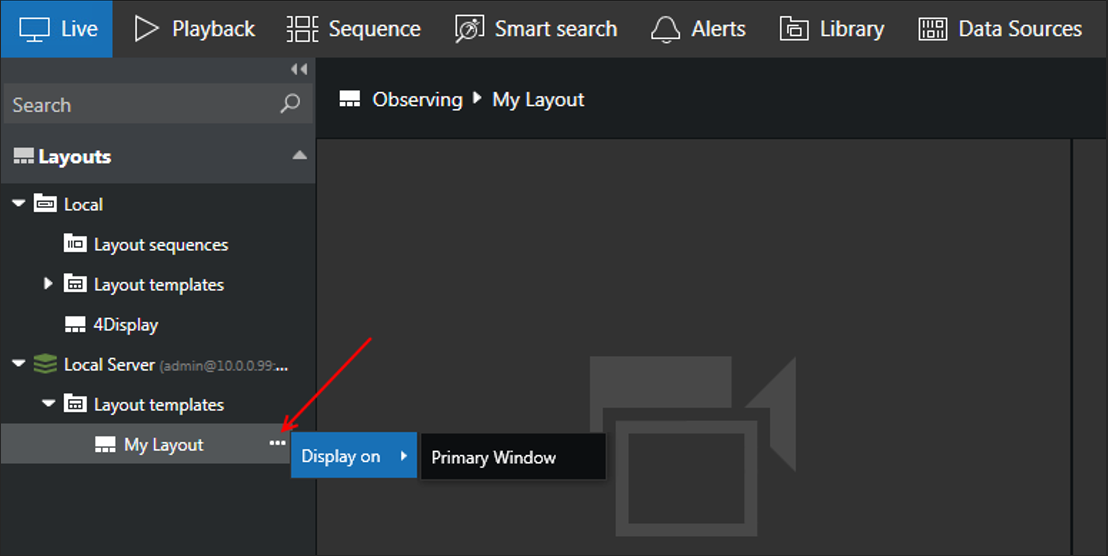
1. Select Live tab, go to Layouts Panel, click the “…” on Layouts loaded from connected server(s).
2. Click the Display on > Primary Window.
Step 2 :
1. Press and drag the camera to the viewport.
Step 3 :
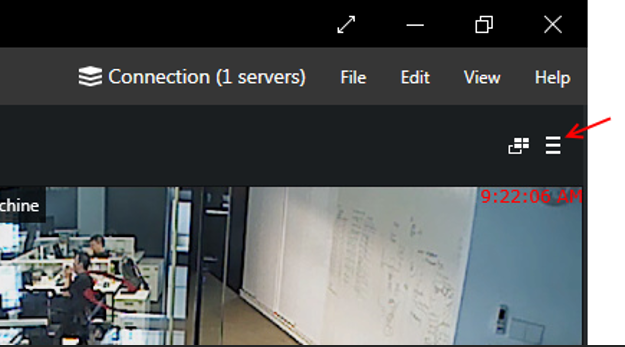
1. Click the Screen Contents > Save Layout.
Step 4 :
1. Enter the Layout Title and click Save button.
2. New saved layout will display under Local Layout resources.
Step 5 :
1. Click the Multi-display setup > Advanced…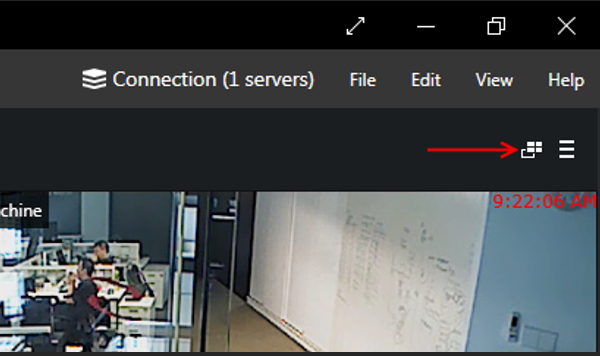
Step 6 :
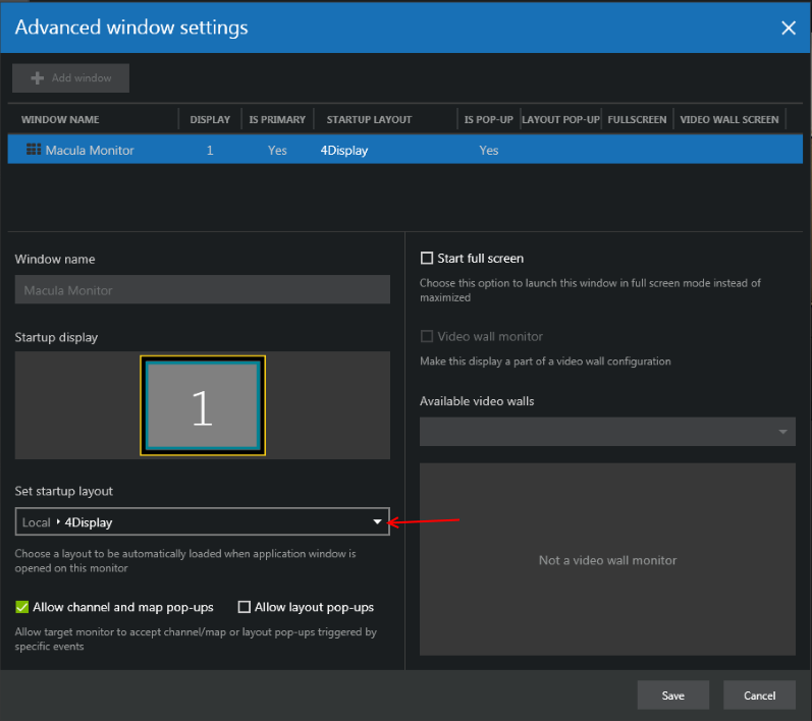
1. In the Advanced window settings dialog box, choose your saved layout in Set startup layout.
2. Click the Save button.
Was this article helpful?
That’s Great!
Thank you for your feedback
Sorry! We couldn't be helpful
Thank you for your feedback
Feedback sent
We appreciate your effort and will try to fix the article