Step 1 :
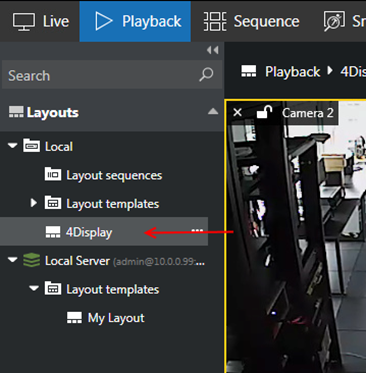
1. Select Playback tab, double-click your desired layout to load it.
Step 2 :
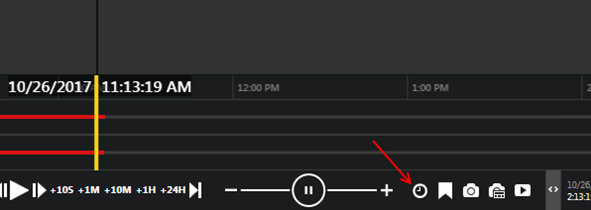
1. Click the Clock button to open the Date/Time dialog box.
Step 3 :
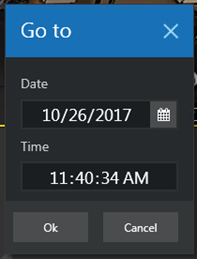
1. Select the specific date and/or time.
Step 4 :
1. Press the Play button to start the playback.
Was this article helpful?
That’s Great!
Thank you for your feedback
Sorry! We couldn't be helpful
Thank you for your feedback
Feedback sent
We appreciate your effort and will try to fix the article