Step 1:
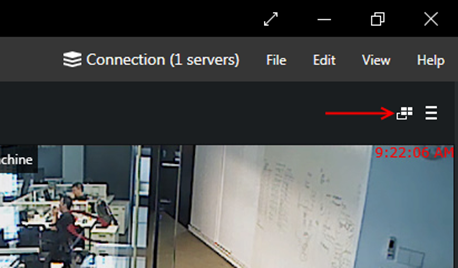
1. Select Live tab, click the Multi-display setup icon and then click Advanced… button.
Step 2:
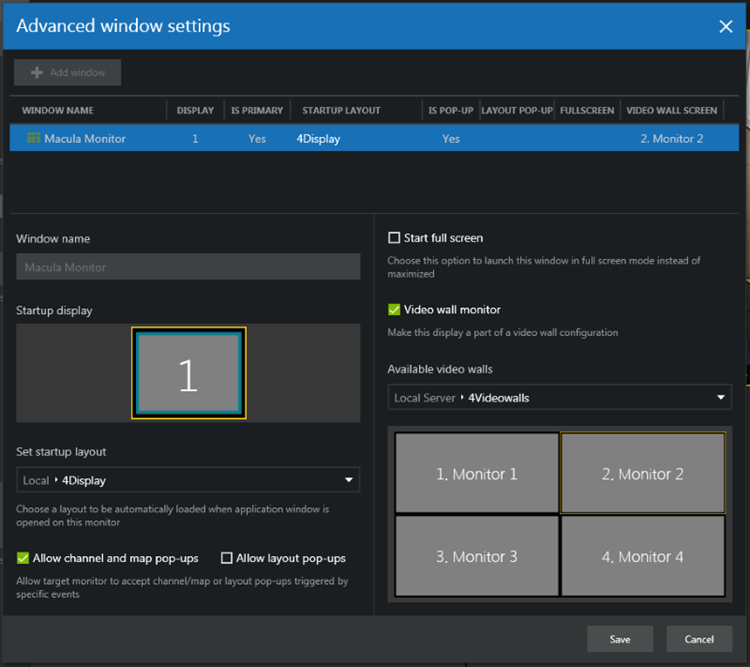
1. In Advanced window settings, enable the Video wall monitor and then assign Video wall screen to the Display monitor.
2. Click the Save button.
Step 3:
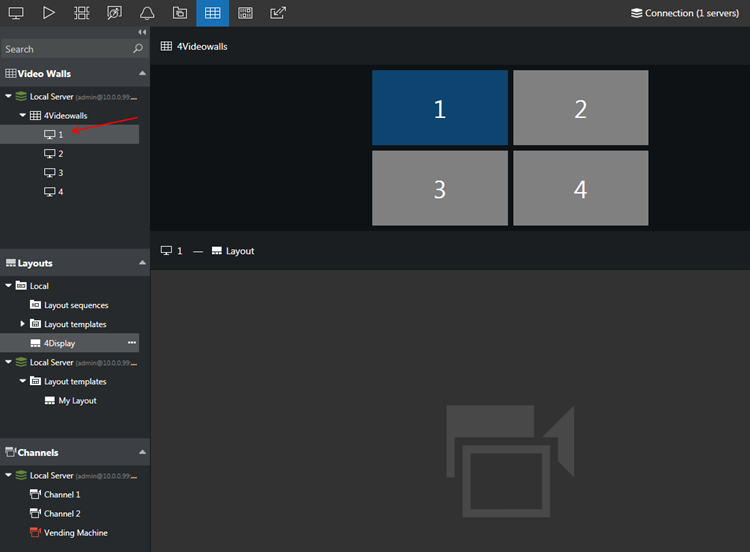
1. Select Video Wall tab, go to the Video Walls panel on the left.
2. Double click on the video wall monitor loaded from connected server(s).
3. Drag & drop layout from the Layouts panel to the selected video wall monitor.
Step 4:
1. Repeat Step 3 for other video wall monitor(s).
Was this article helpful?
That’s Great!
Thank you for your feedback
Sorry! We couldn't be helpful
Thank you for your feedback
Feedback sent
We appreciate your effort and will try to fix the article