Step 1:
Open the Configuration section and select Devices in the menu on the left; in the upper panel, then click the + New device button.
Step 2:
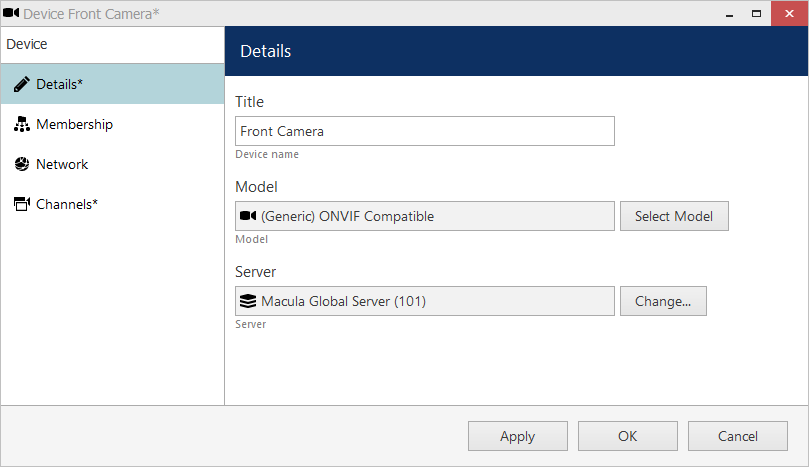
Enter a user-defined name for your new device and pick a model. If your camera model is not listed, select
the closest similar model or choose ONVIF Compatible.
After you have chosen device model, additional tabs will become available in the main configuration dialog box: Network and Channels.
Then click on “Change…” to select a correct recording server for this device.
Step 3:
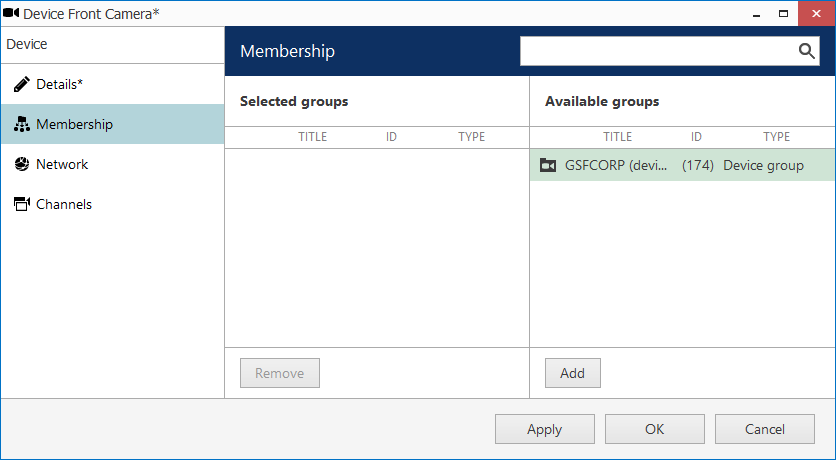
Optional: Open the Membership tab and choose groups for the current device to become a member of. Use Add and Remove buttons below or double-click to manipulate groups. One device may belong to several groups at once.
Step 4:
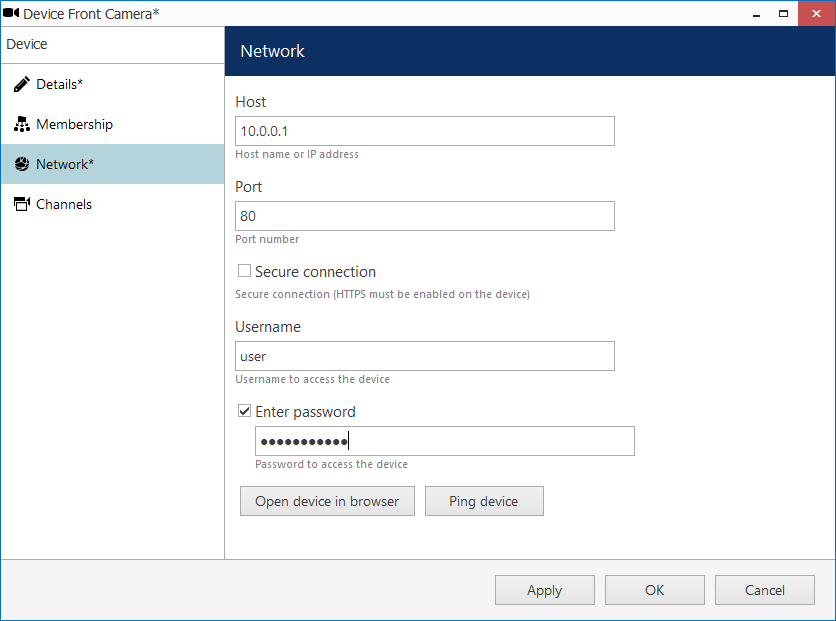
Open the Network tab and then enter the device IP address, HTTP port, user credentials* & password.
* note that you need to provide a valid administrative user profile to be able to change device settings via software
Was this article helpful?
That’s Great!
Thank you for your feedback
Sorry! We couldn't be helpful
Thank you for your feedback
Feedback sent
We appreciate your effort and will try to fix the article